 how-to
PLC Programming Services for Food Processing: 2026 Guide
Last Updated: October 23, 2026
Quick Summary
PLC programming services for food processing build and retrofit the control systems that run production lines, covering control logic, I/O, operator interfaces, alarms and batch records. We scope each project around recipe management, HACCP traceability and commissioning, then support the system after handover.
- Insist on a tag naming convention before programming starts to save hours tracing faults.
- Automate repetitive, recipe-driven steps first for the fastest payback.
- Make a mock recall part of commissioning and time how long the trace takes.
- Back up programs at handover, after every change, and quarterly at minimum.
- The cheapest quote often excludes documentation, training and post-handover support.
Table of Contents
- What PLC Programming Services for Food Processing Actually Deliver
- Food Processing Automation Examples You Can Copy
- PLC Programming for HACCP: Traceability, Recipes and Batch Records
- PLC System Integration: Sensors, Actuators, SCADA and Legacy Plant
- PLC Commissioning and Maintenance: A Practical Workflow
- Scope, Costs and Choosing a PLC Programming Provider
- Frequently Asked Questions
What PLC Programming Services for Food Processing Actually Deliver
A programmable logic controller is the industrial computer that runs a production line: it reads sensors, decides what should happen next, and switches actuators accordingly. PLC programming services for food processing turn that raw capability into a working, documented control system your operators can trust at 3am on a night shift.
At Industry Power Solutions, we build and retrofit these systems for plants where downtime is measured in spoiled batches, not just lost minutes. The work is rarely glamorous.
Most guides treat PLC work as a coding exercise. It isn't. In food processing, the controller sits between raw ingredients and a customer's plate, which means every rung of control logic carries a hygiene, traceability or safety consequence.
Control logic, I/O and operator interface
Control logic is the programmed decision-making layer: the rules that tell the line what to do when a temperature probe reads high or a filler head misses a bottle.
Inputs and outputs are the physical connections. Inputs come from sensors (level probes, flow meters, temperature and pressure transmitters, proximity switches). Outputs drive actuators (valves, pumps, motors, heaters, conveyors).
The operator interface, usually a touchscreen HMI, is where your team actually meets the system.
Real-time monitoring, alarms and fault detection
Alarms are only useful if they point to a cause, not a symptom. A well-built system distinguishes between a critical fault that stops production, a warning that needs attention by end of shift, and an informational event logged for later review.
Fault detection logic should capture the first-out condition. When a line trips, the operator needs to know what happened first, not the cascade of trips that followed.
Food Processing Automation Examples You Can Copy
The fastest way to scope a project is to look at what other plants automate first. These food processing automation examples are the ones that consistently deliver the clearest return.
- Batching and mixing: recipe-driven ingredient addition with automatic weighing and sequence control, so a batch either meets spec or stops before it becomes waste.
- Liquid dispensing: volumetric or mass-flow filling with closed-loop correction, reducing giveaway on high-value product.
- Conveyor and packaging control: speed matching between line sections, accumulation logic, and interlocking so a jam downstream doesn't pile product on the floor.
The pattern is consistent. The plants that automate the repetitive, recipe-driven steps first see the fastest payback. The ones that start with the most complex line usually stall in commissioning.
PLC Programming for HACCP: Traceability, Recipes and Batch Records
PLC programming for HACCP is where control engineering meets food safety. A HACCP plan identifies critical control points, and the controller is often the thing holding those points in range and proving it afterwards. In this market, that proof is not optional: Standard 3.2.2 of the Australia New Zealand Food Standards Code requires food businesses to be able to identify and recall product, and the record-keeping that supports a recall usually starts at the controller.
Recipe management as the control point
Recipe management is the practical core. A recipe stored in the controller, rather than typed in by an operator at shift start, removes a whole class of human error: wrong setpoint, wrong ingredient ratio, wrong cook time. The mechanics matter more than the slogan:
- Versioned recipe blocks. Each recipe should carry a revision number, an effective date and an approval reference. When a recipe is edited, the old version is retained, not overwritten, so you can show an auditor exactly what was running on a given day.
- Access control by role. Operators select a recipe; supervisors approve changes; engineers maintain the master data. A four-digit PIN shared across the whole shift is not access control.
- Interlocks against wrong product. Where two products share a line, the recipe selection should be cross-checked against the line clearance state, so a changeover cannot start until the previous product's residue has been cleared.
Batch records that survive an audit
Batch records matter for two reasons. First, they support traceability if a product needs to be recalled. Second, they give your quality team evidence that the process ran as specified. Where a critical limit is breached, the record should show the deviation, the corrective action, and the operator who signed off.
A controller-generated batch record typically captures:
- batch ID, product code, recipe revision and line identifier;
- start and end timestamps for each process step;
- actual versus setpoint values for critical parameters (temperature, pressure, hold time, flow);
The record should be written to a historian or database that is separate from the controller, so a controller failure does not take the evidence with it.
The unique angle: mock recall as a commissioning test
Most guides stop at 'the PLC logs data'. A stronger approach is to make a mock recall part of commissioning. Pick a batch from the wet run, ask the quality team to trace it forward to the customer and backward to the raw ingredient lot using only the controller and historian records, and time how long it takes. If the trace takes hours or depends on one person's memory, the programming is not finished.
PLC System Integration: Sensors, Actuators, SCADA and Legacy Plant
PLC system integration means making the controller talk to everything else: field devices, the SCADA layer, your business systems, and the equipment you already own.
The legacy question comes up in almost every plant we visit.
SCADA and real-time monitoring sit above the PLC, giving supervisors a plant-wide view and historians a record of trends.
Where a full replacement isn't justified, we often recommend keeping the existing controller and adding modern I/O, a current operator interface, and proper documentation.
PLC Commissioning and Maintenance: A Practical Workflow
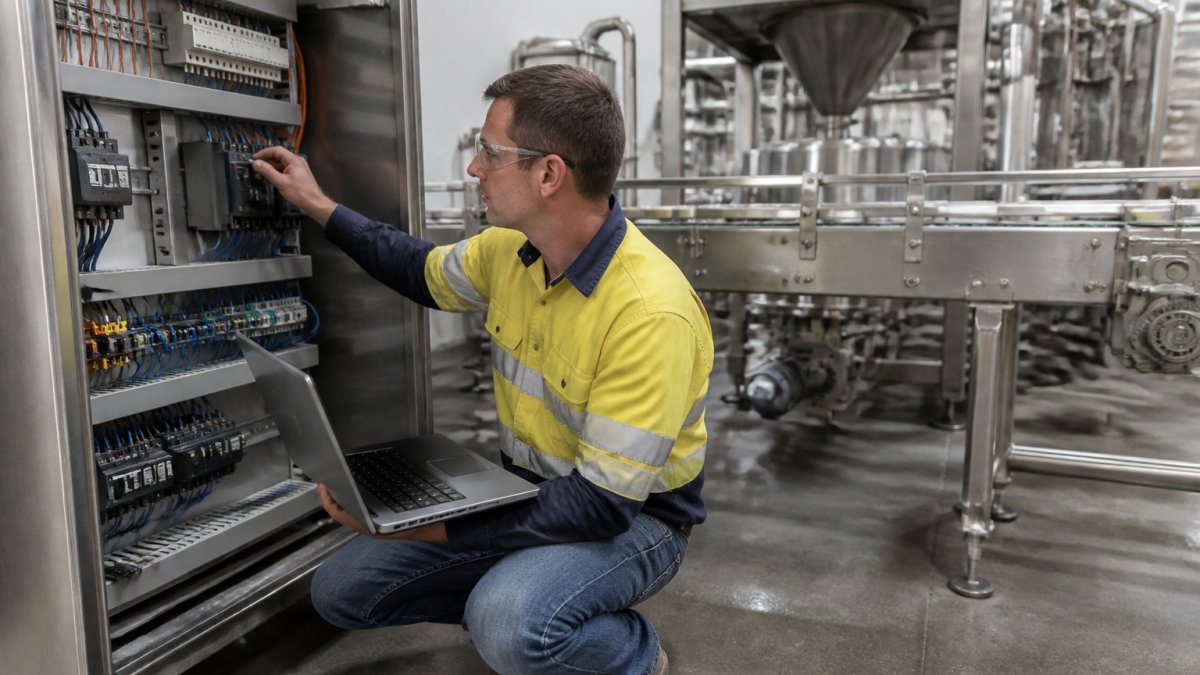
PLC commissioning and maintenance is the discipline of proving the system works before it carries product, then keeping it working. Skipping steps here is how projects that looked fine on paper fail in the first week of production.
Commissioning sequence
- Pre-power checks: verify wiring against drawings, confirm isolation, check earthing and supply voltages. On washdown equipment, confirm IP ratings and that cable glands are sealed before any water is introduced.
- I/O verification: force each input and output individually and confirm the correct device responds. Record the result against the tag list, not just a tick in a notebook.
- Dry run: step through the sequence with no product, watching for unexpected transitions. Include the changeover sequence, not just steady-state running.
- Wet run: introduce product or a safe substitute and confirm setpoints, timings and interlocks. Run at least one full clean-in-place cycle and confirm the logged record matches the specified step times and temperatures.
- Fault injection: deliberately trip a critical sensor, open an interlock and simulate a communications loss. Confirm the line fails safe and the alarm points to the cause, not the symptom.
- Operator training: walk the team through normal operation, alarms and safe shutdown. Train on the actual HMI, not a slide deck.
- Handover documentation: as-built drawings, backup files, tag lists and a written sequence description.
Backups, cybersecurity and disaster recovery
A controller without a current backup is one failed card away from a very long night. The mechanics of a workable backup regime are simple but often skipped:
- Backup at defined triggers: at handover, after every program change, and on a fixed calendar interval (quarterly is a common baseline).
- Store off-machine: keep copies on a network share and on removable media held separately from the control cabinet. A backup that lives only on the engineering laptop is not a backup.
- Version the file, not just the date: include the program revision, the recipe master revision and the firmware version in the file name, so a restore does not reintroduce an old bug.
Network access deserves the same seriousness. Remote access to a PLC should be controlled, logged and limited to people who need it. Segmenting the control network from the office network is basic practice, not a luxury. In practical terms:
- put the PLC and HMI on a dedicated control VLAN, with a firewall between it and the business network;
- require named accounts and multi-factor authentication for remote access, and disable vendor accounts when a project ends;
- log remote sessions and review them monthly;
The unique angle: a recovery drill, not just a plan
The test we recommend goes beyond documentation: could a new engineer restore this system from your backup and documentation alone, without calling the original programmer? Run that as a drill with a spare controller and a stopwatch. If the restore takes more than a shift, or depends on one person's knowledge, the disaster recovery plan is a wish, not a plan.
Scope, Costs and Choosing a PLC Programming Provider
Pricing for PLC programming services depends on the number of I/O points, the complexity of the process, whether legacy equipment is involved, and how much documentation already exists. We don't publish a rate card because a two-day logic tweak and a full line retrofit are not the same job. Ask any provider for a scoped proposal with clear assumptions, and expect to be told what's excluded.
When comparing providers, ask these questions:
| Question | Why it matters |
|---|---|
| Will we receive as-built drawings and backup files? | You own the system; you need the paperwork |
| How do you handle legacy equipment? | Reveals whether they'll patch or properly document |
| Who supports the system after handover? | Ongoing support matters more than the install |
| Can you show measurable results from similar plants? | Efficiency claims should be evidenced |
| How do you handle compliance documentation? | Audit support is part of the job |
At Industry Power Solutions, our work spans PLC programming, custom control systems, and the electrical installation and maintenance around them.
Frequently Asked Questions
What does a PLC programming service include?
A full service covers control logic design, I/O mapping, HMI and SCADA configuration, recipe and batch record setup, factory acceptance testing, on-site commissioning, system documentation and ongoing support. For food plants it also includes hygienic cabinet placement, washdown-rated sensors and alarm handling tied to production records. Ask for the scope in writing, including who owns the source code and backups, and confirm the provider can work with your existing legacy equipment rather than insisting on a full replacement.
Can PLCs support food safety and traceability?
Yes. PLC programming for HACCP typically logs cook temperatures, hold times, metal detection results and batch codes against a recipe ID, then pushes that data to a historian or MES for audit retrieval. The control logic enforces the critical limits: if a temperature setpoint is not met, the line alarms and the batch is flagged rather than passed through. Confirm the provider builds tamper-evident records with time stamps and can export them in a format your auditors accept.
What should a food processor consider when upgrading a PLC system?
Start with a documented audit of existing panels, wiring, I/O counts and network architecture, because undocumented legacy systems are the main cause of blown-out upgrade budgets. Plan the cutover around production windows and keep a tested rollback path. Budget for operator training, updated electrical drawings and spare parts. Get a fixed scope with staged milestones so you can show your board measurable outcomes such as reduced downtime and improved throughput before committing to the full rollout.
How often should food processing PLC systems be maintained?
A practical schedule is monthly checks of backups, alarms and fault logs, quarterly inspection of I/O modules, sensors and cabinet cooling, and an annual review of control logic against current recipes and HACCP limits. High-washdown areas need more frequent sensor and seal checks. Maintenance should include verifying that the backup image matches the running program, since an out-of-date backup turns a small fault into a multi-day outage.
Aging control systems don't fail politely. They fail during a production run, usually on a Friday. If your plant is running on undocumented logic, patched panels and hope, Industry Power Solutions can assess what you have, document it properly, and plan a migration that fits your budget and your production calendar. Get started with Industry Power Solutions and put your control system on a footing your operators, auditors and board can all trust.